

Setup Health on the Management Website
Purpose
KKAuto's Setup Health page means you don't have to memorize every configuration option. The system automatically checks what is done, what is still missing, and suggests what to do next — with a step-by-step explanation whenever you need it.
This is not a one-time wizard that disappears after you finish. You can return at any time when you add accounts, enable AI features, or expand functionality.
Where to find it
| Location | How to access |
|---|---|
| Dashboard | After logging in to the Management Website, view the Setup Health widget (setup score, completed / missing steps). |
| Full page | On the Dashboard, click Open Setup Health page to see each step in detail along with recommended actions. |
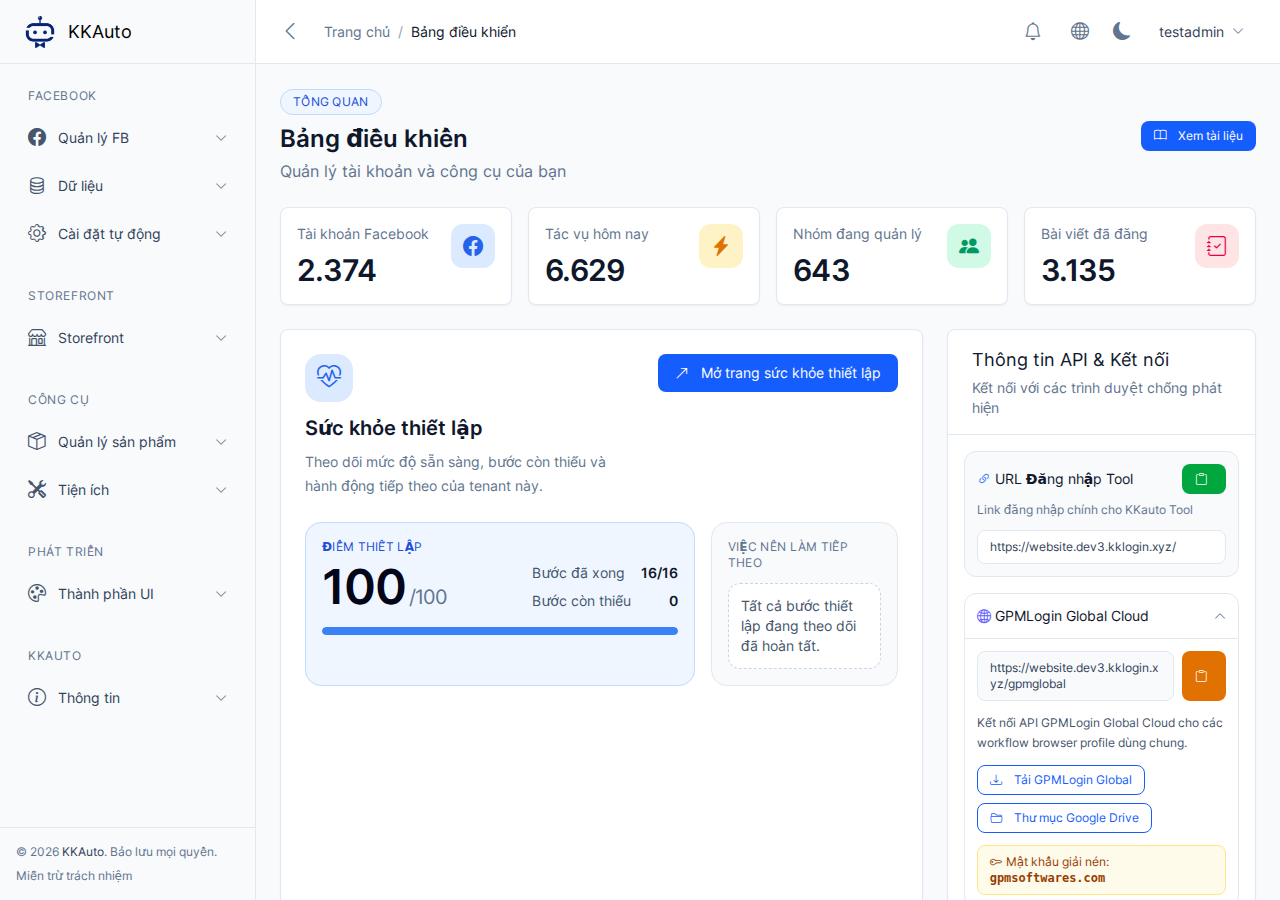
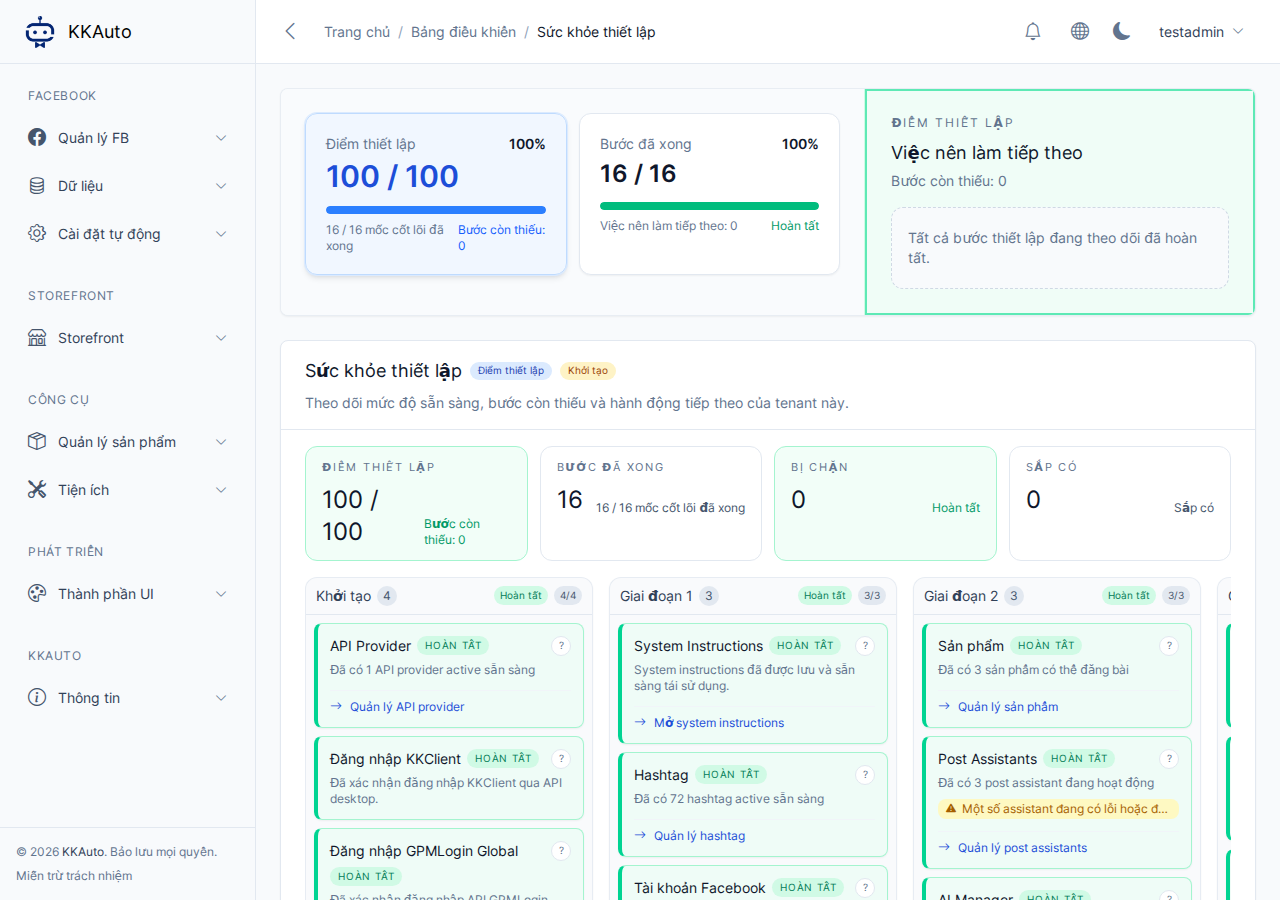
If you do not see this section, your account may not have permission to view the Dashboard — contact your system administrator or KKAuto.
What this page tells you
- Setup score — overall readiness level (shown as a score on the website).
- Completed / missing steps — a list of items KKAuto is tracking for your tenant.
- What to do next — priority steps with links to the correct configuration screen (when you have permission).
- Explain this step — opens a help panel: why the step matters, how to begin, and when to consider it done.
The system groups steps into phases (for example: prepare Facebook accounts and hashtags; then products and AI; then publishing targets). You do not need to follow the exact order, but following the suggestions helps you avoid missing configuration when you enable automation.
How to use the suggestions (in practice)
- Log in to the Management Website.
- Open Dashboard → quickly check your score and missing steps.
- Click Open Setup Health page.
- Select an item from What to do next (or a missing item in any phase).
- Follow the on-screen instructions; if anything is unclear, click Explain this step.
- Return to the Setup Health page — the score and status update as you complete each step.
After the core steps are done, revisit this page when: you add new accounts, enable AI posting, or a task reports an error due to missing Server-side configuration.
Related documentation
| On the website (common suggestions) | Further reading |
|---|---|
| Facebook Accounts | Facebook Accounts |
| FB settings, AI Posts | System Configuration |
| Tasks not running | Automatic Task Creation, Monitor Tasks |
| Computer not receiving tasks | Connect to Server, Run Automation |
Expected outcome
You know exactly what is still missing on the Management Website before blaming the computer or the KKAuto desktop app. The setup score increases as you complete the tracked steps.