

5/29/26About 1 min
AI Posts
Purpose
Configure AI Posts so the Server generates content and schedules posting tasks automatically — useful for product promotions or when you need regular engagement or video posts.
Before you start
- AI connection has been tested successfully (if using AI on the system).
- Products, hashtags, or videos are already in the Data section (depending on post type).
- Accounts have a level that allows posting.
On the Management Website
Automation settings > AI Posts
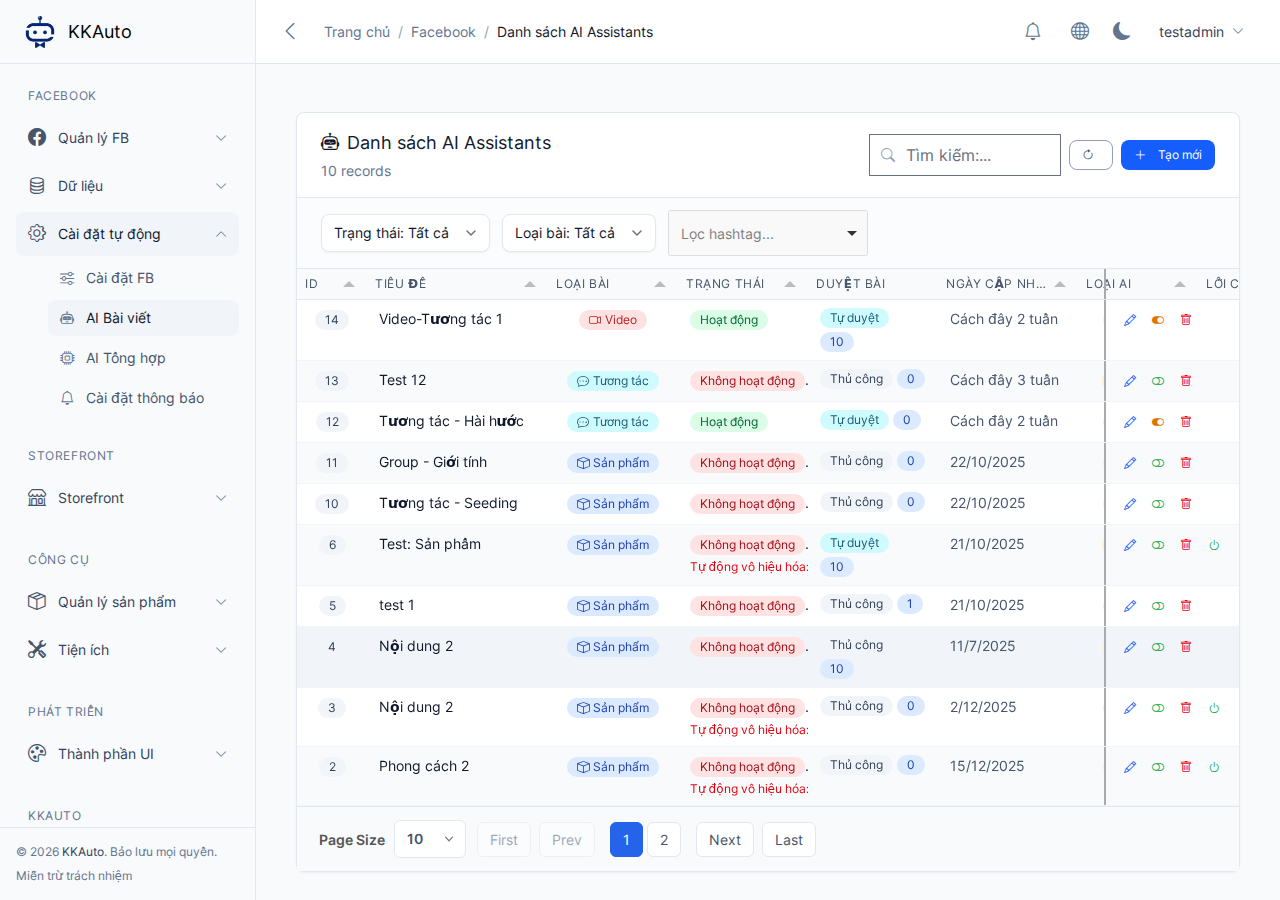
AI Post types
| Type | When to use |
|---|---|
| Product | Posts linked to products — requires matching hashtags |
| Engagement | Engagement posts, no product required |
| Video | Posts with video — requires a compatible video source |
Steps
- Open Automation settings > AI Posts.
- Click Create new — give it a memorable name.
- Select the type (product / engagement / video).
- Configure:
- AI source (follow the on-screen instructions).
- Hashtags / content source.
- Schedule (time, frequency).
- Accounts or groups to apply to.
- Use the preview / test option on the form (if available) before running for real.
- Save and enable.
- Monitor posts and tasks under Facebook > Tasks and Data > Posts.
- Make sure the desktop app is running automation so posting tasks are executed.
Expected outcome
AI Posts run on schedule; new posts and tasks appear; the machine posts to Facebook through the linked browser profile.
Common issues
| Symptom | Suggestion |
|---|---|
| No content generated | Check AI connection, hashtags, and products |
| Content ready but not posted | Machine automation not running; account status or level issue |
| Inappropriate content | Adjust the instructions in AI Posts; regenerate |