

5/29/26About 1 min
Facebook Accounts
Purpose
Add, import, and manage the Facebook accounts used for automation — every task on the Server is linked to an account.
Before you start
- Logged in to the Management Website with Facebook > Accounts permission.
- Have your account list ready in the KKAuto-specified format (if doing a bulk import).
On the Management Website
Facebook > Accounts
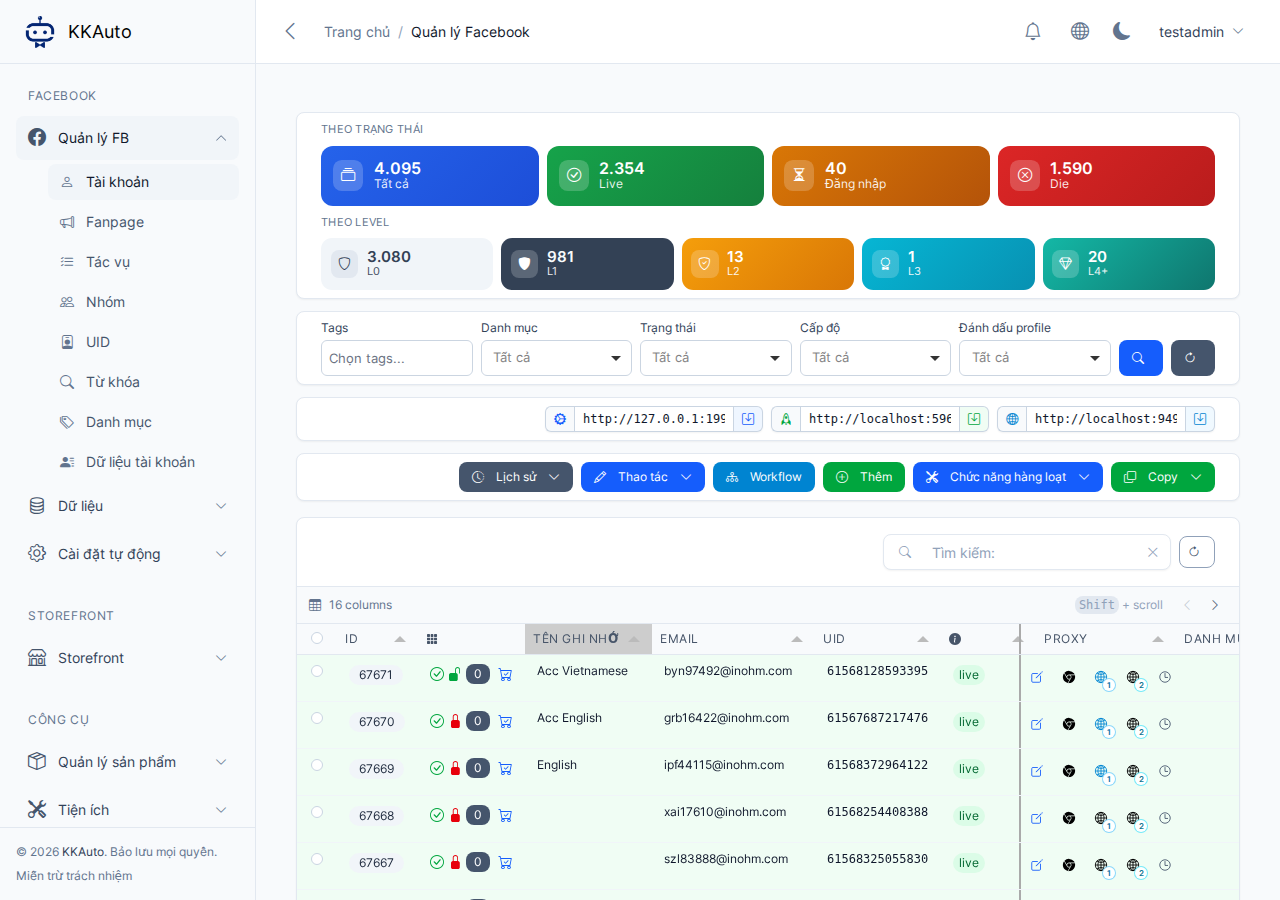
Steps
Add or import accounts
- Open Facebook > Accounts.
- Add accounts one by one or import a file following the on-screen instructions (test with a small batch first).
- Assign a proxy, category, and hashtags if your workflow requires them.
Set interaction levels
- Each account has a level (typically 0–4) that determines which interactions and tasks are allowed — configure the details under Automation settings > FB settings (see System Configuration).
- New accounts are usually at the lowest level (mostly light interactions); upgrade when the account is stable enough.
Link browser profiles
- On each account, select the browser profile (GPMLogin, GPMGlobal, Hidemium, Pionlogin…) you created on your computer.
- Make sure the profile on the machine and the link on the website refer to the same Facebook account.
Check account status
Monitor the status column — full explanation: Account statuses. Examples:
- Ready / Active — can receive tasks matching the account's level
- Re-login required — open the browser profile and log in to Facebook
- Browser error — check the desktop app and the antidetect browser
- Unavailable — stop assigning new tasks
When many accounts show errors at the same time, stop increasing the parallel task count and resolve each account individually.
Expected outcome
Accounts are correctly listed with levels and browser profiles assigned; accounts needed for tasks show a ready status.
Common issues
| Symptom | Suggestion |
|---|---|
| Bulk import fails | Reduce rows per import; check required columns in the template file |
| Account not receiving tasks | Check status, level, and whether the machine is connected |
| Facebook requests verification | Troubleshooting |