

5/29/26About 1 min
Automatic Task Creation for Accounts
Purpose
Explain how the Server automatically creates and schedules tasks after you have configured the system — and how to confirm that tasks are ready for the desktop app to execute.
Before you start
- System Configuration is complete.
- Accounts are in an appropriate status under Facebook > Accounts.
On the Management Website
Facebook > Tasks
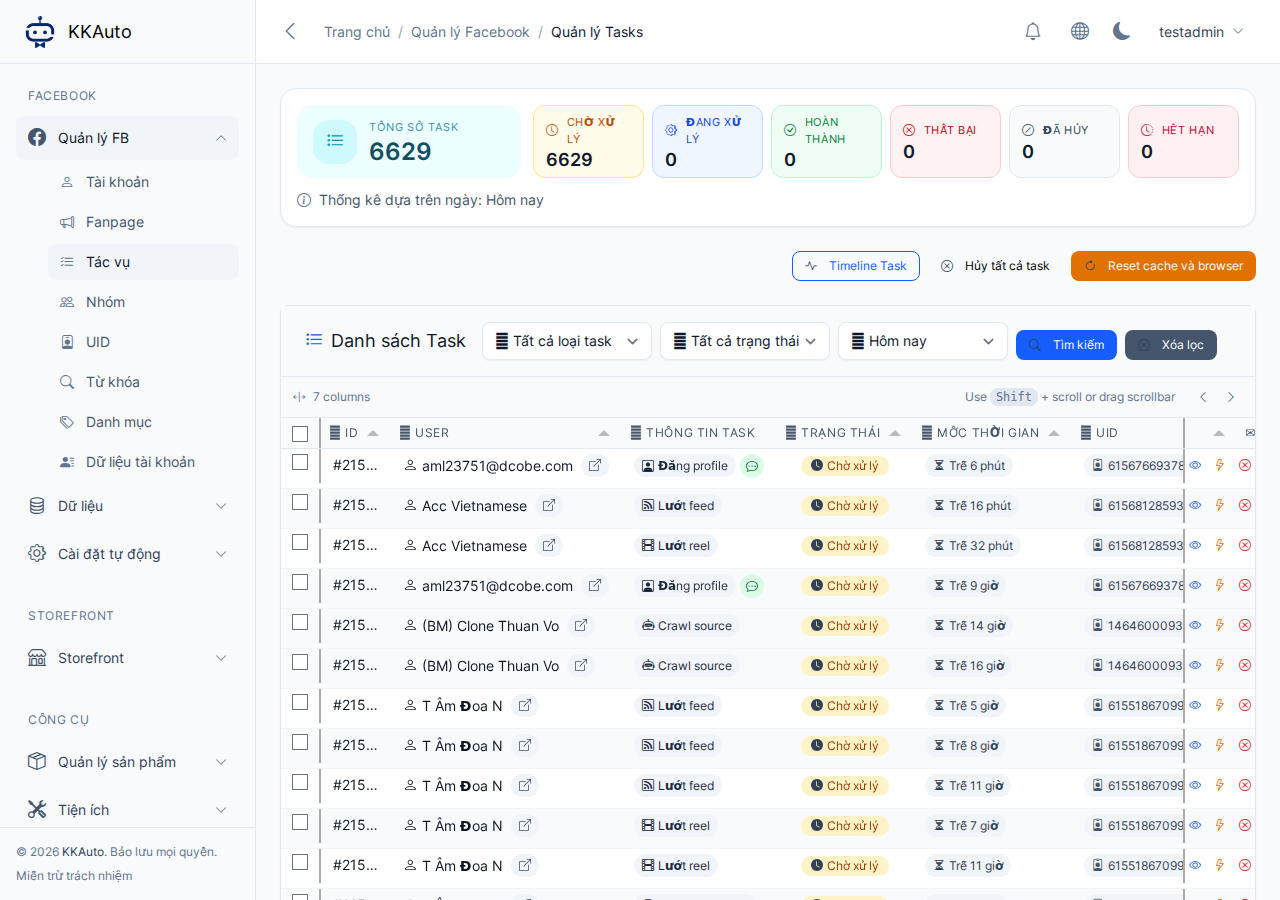
How the Server creates tasks (concept)
- You configure levels and a schedule under FB settings.
- The Server creates tasks for each account on that schedule (interactions, posts, comments… depending on level).
- Tasks appear under Tasks with a pending status.
- When a connected machine is running automation, the Server dispatches tasks to it.
- Machine completes the task → status updates on the website.
You do not need to recreate the same tasks every day once automation is enabled correctly — only create tasks manually for special campaigns.
Operating steps
- After configuration, open Facebook > Tasks.
- Filter by status, account, task type, date range.
- Tasks pending for a long time:
- Desktop app: connected and automation running.
- Account is ready, browser profile is correctly linked.
- Reduce parallel task count if the machine is overloaded.
- Failed tasks:
- Read the error message on the task detail page.
- Retry if an appropriate button is available.
- Repeated failures → stop automation, fix the browser / account first.
Creating tasks manually (supplemental)
Some plans allow manual task creation from the Management Website (posting to a fanpage, individual posts…). Use this for work outside the automatic schedule — the machine still needs to be online to execute the task.
Expected outcome
Tasks are created automatically on schedule; pending tasks are picked up by the machine and move to running / completed when the infrastructure is healthy.
Common issues
| Symptom | Suggestion |
|---|---|
| No new tasks | Check levels, active time windows, and account status |
| Tasks stuck in pending | Machine not connected or automation not started |
| Batch failures | Browser issues; Facebook requesting account verification |